
- Mon - Sat 8:00 - 6:30, Sunday - CLOSED
- support@soundproofhub.com
How to Improve Gaming Room Acoustics on a Budget

14
June
How to Improve Gaming Room Acoustics on a Budget
Every gamer knows the feeling. You plunge into an intense battle, your squad is counting on you, and you call out an enemy’s position—only for your mic to pick up an unbearable, hollow echo. Or maybe you turn up your gaming room sound system to appreciate an immersive soundtrack, but the bass sounds muddy, boomy, and completely distorted.
Whether you are trying to stream professionally, communicate clearly with your teammates, or just enjoy your setup, understanding gaming room acoustics is vital. But what does the phrase gaming room meaning actually boil down to for the average player? It means balancing peak audio performance, visual style, and pristine sound clarity.
Many people think correcting a room’s sound profile requires thousands of dollars in studio-grade equipment. Fortunately, you can achieve an incredible transformation without breaking the bank. This comprehensive gaming room acoustics guide will show you how to manage sound reflections, reduce background noise, and get crystal-clear audio on a budget.
Why Gaming Room Acoustics Matter
Does gaming room acoustics matter? Absolutely. When an audio signal bounces off bare, hard walls, it creates a phenomenon known as flutter echo. This ruins your microphone clarity, distorts your gaming room sound, and causes severe ear fatigue during long gaming sessions.
Improving your space creates a tight, controlled environment. Good gaming room acoustics treatment ensures that your game room sound bar or desktop speakers sound exactly as the game developers intended. Additionally, implementing basic gaming room sound deadening keeps your late-night competitive sessions from waking up the entire household.
Soundproofing vs. Acoustic Treatment: The Big Misconception
Before buying any gear, it is crucial to understand the difference between soundproofing gaming room spaces and treating them for better internal audio.
-
Soundproofing a gaming room: This involves stopping sound from entering or leaving a space entirely. It requires heavy, dense structural materials, which makes true soundproofing a gaming room acoustics cost incredibly high.
-
Acoustic treatment: This involves controlling the sound reflections inside the room. By creating a gaming room with acoustic panels or foam, you absorb harsh reflections and eliminate echoes.
If you are wondering, “Will gaming room acoustic foam make my room completely quiet to the outside world?“ the answer is no. Foam is designed to stop echoes inside the room, not to block sound from escaping the building.
Step 1: Maximize Household Items for Free Sound Absorption
Before spending a dime on commercial gaming room acoustic panels, look around your house. You can dramatically improve a room gaming environment simply by strategically placing everyday household items.
Empty rooms behave like giant echo chambers because sound waves bounce off hard surfaces. To combat this, introduce soft surfaces that naturally act as makeshift sound proof panels for gaming room spaces.
-
Throw down a thick rug: Hardwood, laminate, or tile flooring is an acoustic nightmare. Placing a plush rug beneath your gaming room setup absorbs floor-to-ceiling sound bounces.
-
Hang heavy curtains: Windows are notorious for reflecting high frequencies. Covering them with dense, floor-length curtains provides instant gaming room acoustics control.
-
Utilize bookshelves: A large bookshelf filled with books of varying sizes acts as a natural acoustic diffuser. It breaks up sound waves and prevents harsh audio slapbacks.
-
Add soft furniture: A fabric sofa, futon, or beanbag chair breaks up parallel walls and absorbs low-frequency bass energy.
Step 2: Use Budget-Friendly Gaming Room Acoustic Foam
If household items aren’t quite enough, the next logical step is investing in affordable open-cell foam. So, is gaming room acoustic foam worth it? For high-frequency echo reduction on a tight budget, the answer is a resounding yes.
When researching what gaming room acoustic foam options are best, look for high-density polyurethane wedges or pyramids. You do not need to cover every square inch of your walls to see results. Instead, target your “first reflection points”—the areas on the walls directly to your left and right where sound from your speakers hits first.
For an aesthetic upgrade, you can mix and match colors or layouts. A gaming room with acoustic foam can look incredibly premium when the tiles are arranged in sleek, geometric patterns directly behind your monitor or microphone arm.
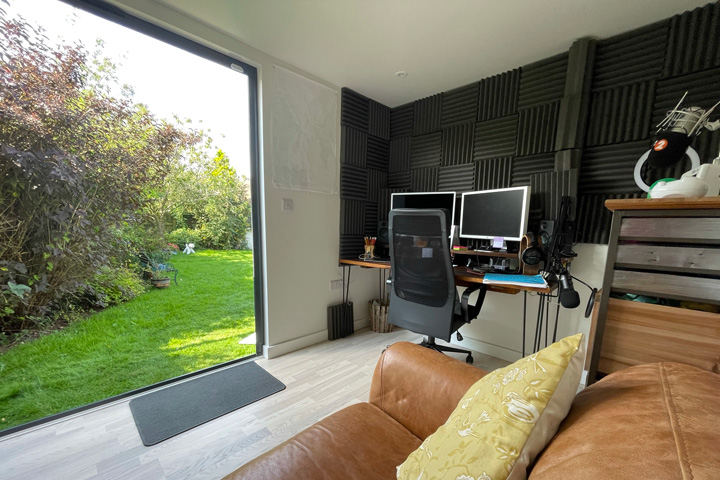
Image source spacecraftdesign.co.uk
Step 3: Upgrade to DIY Gaming Room Sound Panels
While budget foam handles high frequencies well, it often fails to catch muddy mid-range tones. If you want professional-grade performance, building your own gaming room sound panels is the ultimate budget hack.
A commercial gaming room acoustics kit can cost hundreds of dollars, but a DIY approach cuts that price down to a fraction of the cost.
How to build DIY gaming room acoustic wall panels:
-
The Frame: Build a simple rectangular wooden frame using cheap timber from a local hardware store like Home Depot or Lowes.
-
The Core: Fill the frame with dense mineral wool or rigid fiberglass insulation. These materials are excellent gaming room acoustics absorbing panels.
-
The Wrap: Wrap the entire panel in a breathable fabric (like burlap, muslin, or polyester) and staple it securely to the back of the frame.
These DIY soundproof panels for gaming room use perform significantly better than thin foam, and they can be customized with colored fabrics that perfectly complement your RGB lighting theme.
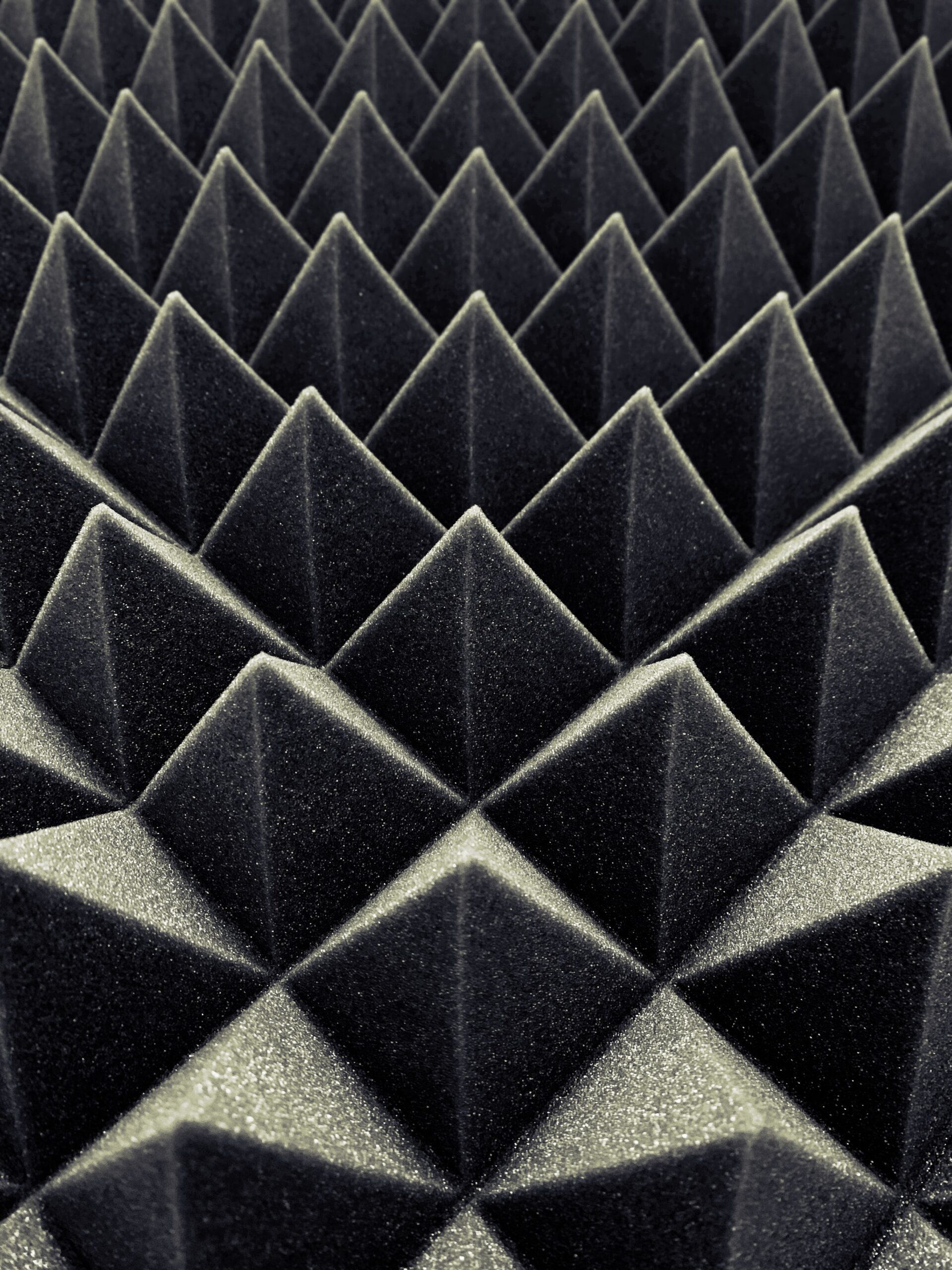
image source: Pexels.com
Step 4: Optimize Your Gaming Room Sound System
Even the most expensive acoustic treatment can’t save a terrible speaker layout. Proper positioning is a completely free way to maximize your audio quality.
If you use a premium game room surround sound setup or a compact soundbar, follow the basic rules of audio geometry. Your head and your two main front speakers should form a perfect equilateral triangle. Angle the speakers directly toward your ears rather than letting them fire straight past you.
Keep your speakers away from bare corners. Placing a subwoofer or speaker right against a wall causes massive bass build-up, making your game sound incredibly boomy. Furthermore, if you use a dedicated desktop mic for streaming or Discord, mount it on a suspension boom arm. This detaches the microphone from your desk, preventing it from picking up structural vibration noise from your mechanical keyboard.
Step 5: Test Your Space with Free Acoustic Tools
You don’t need expensive gaming room acoustics engineering hardware to analyze your progress. You can easily execute a helpful gaming room acoustics analysis using free software and your smartphone.
-
Mobile Apps: Search for a reputable gaming room acoustics app or sound level meter on Android or iOS. These mobile apps measure ambient decibels and estimate echo decay times in your room.
-
Desktop Software: For a deeper dive, download free desktop software like Room EQ Wizard (REW). It allows you to run a detailed gaming room acoustics test using your headset mic or external USB microphone to map out exactly which frequencies are causing problems.
Using these digital tools lets you see precisely why or when gaming room acoustics are bad in your specific space, allowing you to add treatment precisely where it is needed most.
Conclusion
Achieving excellent gaming room acoustics on a budget is entirely possible with a bit of strategy and patience. You don’t need to spend a fortune on high-end commercial products to build an elite audio environment.
Start by addressing your flooring and windows with common household fabrics. From there, strategically place budget-friendly gaming room acoustic panels or foam at your primary reflection points to eliminate flutter echo. Finally, optimize your speaker and microphone placement to ensure clean audio delivery.
By taking these practical steps, you will eliminate annoying microphone echoes, experience cleaner in-game spatial awareness, and create a far more enjoyable space for your marathon gaming sessions.



Muhammad Zeeshan
Muhammad Zeeshan is an SEO expert and content writer, specializing in link building (SaaS, Tech, Business, and Home Improvements). I am very passionate about search engine optimization, backlink building, and guest blogging. I can help you in attracting a new audience and in achieving a higher rating.